How I Added CodeQL in GitHub Actions and Reduced Swift Scan Time

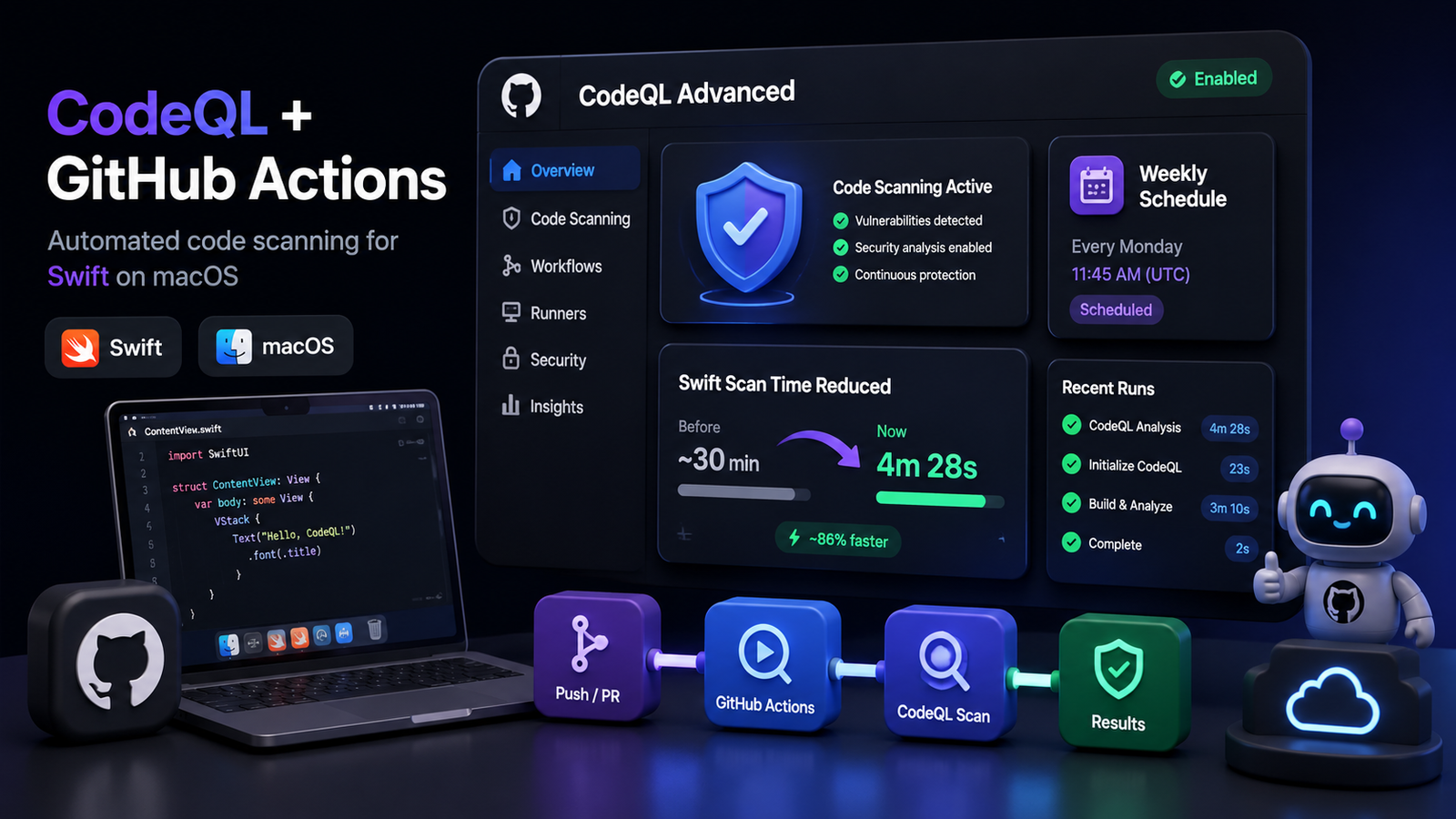
I recently integrated CodeQL into a Swift and macOS project using GitHub Actions and found that scan performance depended far more on the Xcode build step than on CodeQL analysis itself. Once I switched from default autobuild to a manual workflow with an optimized xcodebuild command, the pipeline became much more predictable and efficient.
What is CodeQL and why use it for Swift projects?
CodeQL is GitHub's static analysis engine for detecting security vulnerabilities, unsafe coding patterns, and quality issues before they reach production.
In Swift and macOS repositories, CodeQL is especially useful for catching security-sensitive coding mistakes, unsafe API usage, insecure data handling, logic flaws, and defects that are difficult to spot during regular review.
Why CodeQL can feel slow in Swift and macOS repositories
Swift is a compiled language, so CodeQL needs a successful project build before analysis can start. That means CodeQL duration is often dominated by Xcode build time, not by the security scan itself.
When teams enable GitHub's default CodeQL setup, the workflow usually relies on autobuild. On a fresh GitHub-hosted macOS runner, that can trigger package resolution, full project compilation, and additional build overhead every time the workflow runs.
- Autobuild gives you less control over what is compiled.
- Fresh runners mean DerivedData and package caches are cold.
- Swift package resolution adds overhead during CI.
- The build step often becomes the real bottleneck.
The initial problem I saw with default CodeQL setup
After enabling CodeQL with the default configuration, the scan was taking around 30 minutes. Looking through the logs made the issue clear: the CodeQL analysis stage itself was not the slow part.
The biggest delay came from the Xcode build process running under GitHub-hosted CI conditions. That meant optimizing the build process would have a bigger impact than trying to tune the scan itself.
Why I switched to manual build mode
Instead of relying on GitHub's default autobuild behavior, I created a dedicated workflow file and configured CodeQL with manual build mode.
That gave me complete control over how the Swift project was compiled before analysis, which is critical when working with Xcode, code signing settings, package directories, and CI-only performance flags.
with:
  languages: swift
build-mode: manual- Create a custom workflow such as .github/workflows/codeql.yml.
- Set languages to swift.
- Use build-mode: manual so the workflow uses your explicit xcodebuild command.
The Xcode build optimizations that reduced scan time
The main improvement came from running a custom xcodebuild command tuned for CI and CodeQL.
The goal was not to change application behavior. The goal was to remove expensive build work that does not add value to a static analysis pass.
xcodebuild \
  -project Project/Project.xcodeproj \
  -scheme "TargetName" \
  -configuration Debug \
  -sdk macosx \
  -parallelizeTargets \
  -derivedDataPath ~/DerivedData/CodeQL \
  -clonedSourcePackagesDirPath ~/DerivedData/CodeQL/SourcePackages \
  CODE_SIGN_IDENTITY="" \
  CODE_SIGNING_REQUIRED=NO \
  CODE_SIGNING_ALLOWED=NO \
  ONLY_ACTIVE_ARCH=YES \
  COMPILER_INDEX_STORE_ENABLE=NO \
  DEBUG_INFORMATION_FORMAT=dwarf \
  ENABLE_PREVIEWS=NO \
  RUN_CLANG_STATIC_ANALYZER=NO \
build- Disable code signing in CI.
- Use a fixed DerivedData path.
- Use a fixed Swift package clone path.
- Build only the required scheme.
- Turn off index store generation.
- Avoid dSYM overhead when it is not needed for the scan.
- Disable SwiftUI previews.
- Disable the Clang static analyzer if it is not part of the required workflow.
- Build only the active architecture when appropriate.
Why the trigger strategy matters
Running CodeQL on every push is often too expensive for Swift repositories, especially when macOS CI minutes are limited or when build times are already high.
A better approach is to schedule scans weekly and keep manual runs available for targeted verification when needed.
on:
  schedule:
    - cron: "30 1 * * 1"

workflow_dispatch:- Avoid running full CodeQL scans on every push.
- Avoid wasting CI capacity on every pull request when risk does not justify it.
- Use weekly scheduled scans for broad coverage.
- Keep workflow_dispatch enabled for manual execution.
An important detail about scheduled GitHub Actions workflows
For scheduled workflows to run automatically, the workflow file must be present on the default branch, which is usually main.
If the CodeQL workflow exists only on a feature branch, the schedule will not trigger even if the cron expression is valid.
Final takeaway
For Swift and macOS projects, CodeQL performance depends more on the Xcode build strategy than on the CodeQL engine itself.
If your scan is too slow, the most effective fix is usually to move off default autobuild, optimize xcodebuild for CI, and run scans on a schedule that matches the real security and cost tradeoff.
Frequently Asked Questions
Why is CodeQL slow for Swift projects?
CodeQL needs a successful Xcode build before scanning Swift code, so most of the delay usually comes from project compilation and package resolution rather than the analysis engine.
Should I use CodeQL autobuild for macOS projects?
Autobuild can work, but manual build mode is often better for Swift and macOS repositories because it gives you control over Xcode flags, code signing, package paths, and other performance-sensitive settings.
Should CodeQL run on every push?
Not always. For expensive Swift builds, weekly scheduled scans plus manual runs can be a more practical balance between coverage, CI cost, and developer speed.
Why must the workflow file be on the default branch?
GitHub scheduled workflows only trigger from workflow files that exist on the repository's default branch, so a feature-branch-only workflow will not run on schedule.